Quick Start: From Box to First Screw
Understanding the System
Before you begin, it is important to understand how the system works:
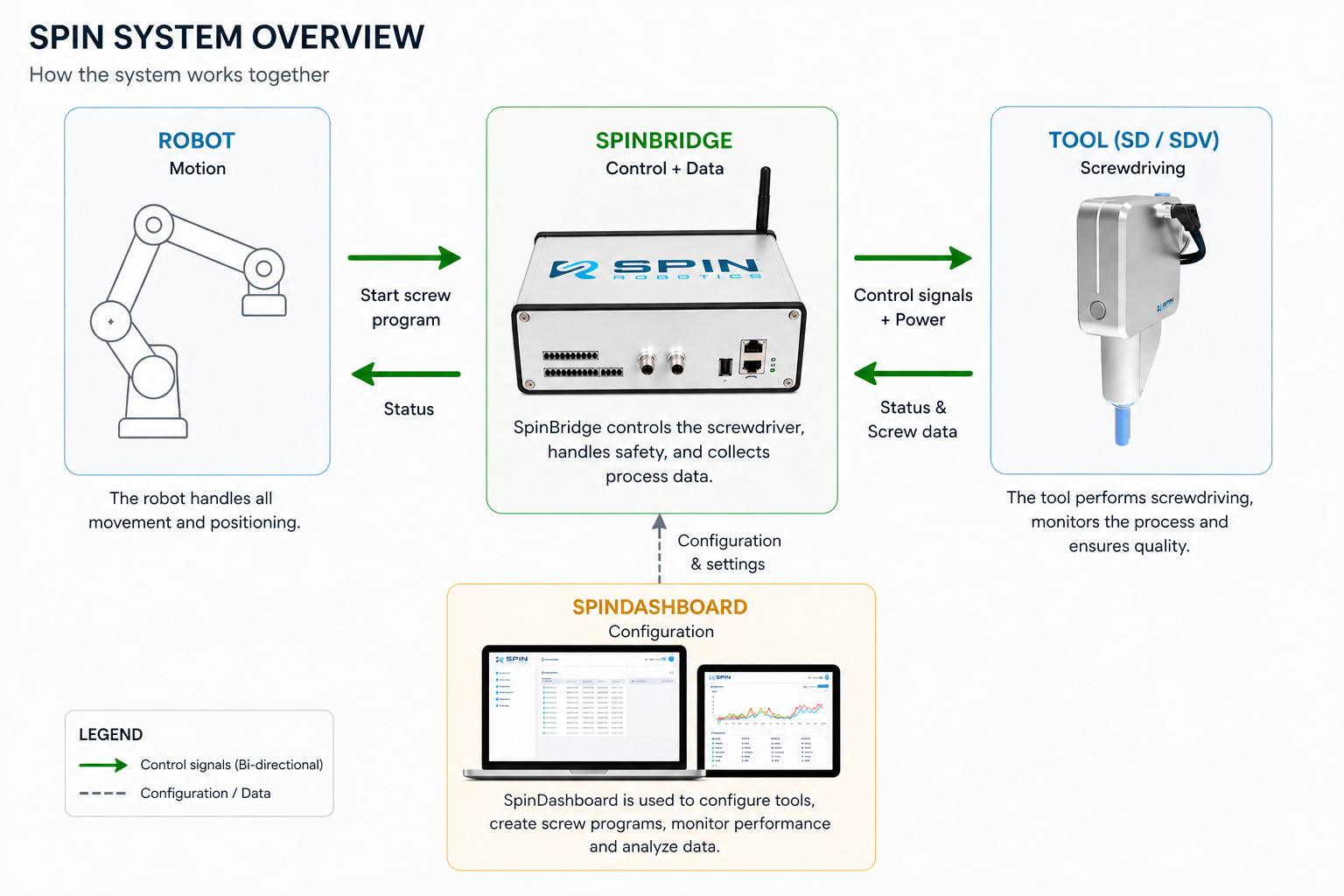
The system consists of four main components:
Robot → Handles all movement and positioning
SpinBridge → Controls the screwdriver, executes the screw program and collects data
Tool (SD / SDV) → Performs the screwdriving process
SpinDashboard → Used to configure screw programs and monitor performance
Note
The robot controls movement only. All screwdriving logic and process control is handled by SpinBridge and configured in SpinDashboard.
SD vs SDV Series
Spin Robotics offers two screwdriver series:
SD Series → Magnetic screw pickup
SDV Series → Vacuum-based screw pickup (supports all screw types)
Important
If you are working with non-magnetic screws (e.g. stainless steel), you must use the SDV series.
What’s in the box
- When you receive the product, the following is included:
1 x SD/SDV35, SD/SDV50, SD/SDV70 or SD/SDV120 collaborative screwdriver
1 x SpinBridge – controller box with IOs
1 x SpinMount – for mounting the tool on the UR robot flange
6 x Magnetic bit holders + Allen key
6 x Vacuum mouthpieces for Vacuum
1 x M5 Push-in fitting for 6mm air tube
4 x Extra set/grub screws + Allen key
1 x Teach-pen
4 x M6 Allen screws + Allen key
1 x 5m M12 shielded signal cable (8 pins)
1 x 5m M12 shielded power cable (4 pins)
1 x Robot Safety IO cable – to connect between your robot and SpinBridge
1 x Ethernet cable – to connect between your robot and SpinBridge
1 x 230 V cable set – power supply (voltage based on country)
3 x Velcro cable straps
- USB stick incl.
Spin Robotics Software apps for robot e.g. URCap and Kassow CBun
Demo programs
QR code sheet with link to user manuals